
Networking guide · Sponsored by NETGEAR; hardware provided
Orbi Pro and PoE: My Gigabit Home Network Upgrade
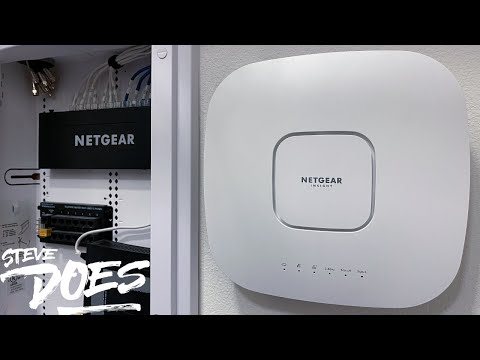
This upgrade revisited my earlier cabinet project, fixed cable terminations and added NETGEAR Orbi Pro Wi-Fi 6 and a PoE switch. It is a different system from the later consumer Orbi 970 setup.
The main takeaway
Cable quality and organization deserved attention alongside the hardware upgrade. I liked the range and network controls of this Orbi Pro setup, without treating it as representative of every Orbi product.
Best for
Homeowners investigating wired connections, local transfers and a stronger backbone.
Before you start
This adapts my original video and test. Check current specifications, firmware support and prices before buying older equipment.
Original video
2022-01-15
Focus
gigabit fiber Orbi PoE switch setup
Article type
Practical guide
What helps
- Earlier cable issues revisited
- Business-oriented network controls demonstrated
- PoE switching and app setup explored
What to know
- Orbi Pro features don't describe every consumer Orbi
- Cable work needs appropriate termination
- Hardware capabilities and licensing need model-specific checks
Why I revisited the old network tour
Viewers pointed out poor cable terminations and exposed wire in my previous project. This January 2022 video addresses that feedback rather than pretending the earlier work was perfect. NETGEAR supplied the hardware and partnered on the upgrade. Before concentrating on wireless specifications, I wanted to put the wired connections in better order and make the cabinet easier to work with.
The Orbi Pro and PoE switch setup
The project used Orbi Pro Wi-Fi 6 equipment and a NETGEAR 16-port PoE+ gigabit switch. The router connects the home network to the incoming service, while the switch distributes wired connections. PoE is relevant only where the device and power requirements are compatible; it doesn't make every connected product powered through Ethernet. Inspect the exact ports and equipment requirements before copying a project shopping list.
Why the word Pro matters here
The video shows several network SSIDs and VLAN-oriented controls, including main, IoT and guest uses. That is the business-oriented Orbi Pro setup in this review. It should not be confused with my later discovery that an IoT client on the consumer Orbi 970 could reach a service on the main LAN. The model and configured access rules matter more than a shared brand name.
What I liked after the upgrade
I was impressed by the usable range in my neighborhood walk and by the Insight app helping me through configuration options that were less familiar. That was an informal experience, not a coverage certification for other houses. Take the general lessons—better terminations, clear room labels, suitable switching and tested access rules—then choose supported hardware and configuration for your own needs.
Technical references
More networking guides and reviews
Ethernet Over Coax: My MoCA Setup and Speed TestWi-Fi 7 Speed Test: What Changed on My Home NetworkMy Wi-Fi 7 and 10Gb Ethernet Home Network UpgradeI Finally Understand My Home NetworkCommon questions
Is this the same Orbi as the 970 IoT-isolation test?
No. This project used Orbi Pro Wi-Fi 6 equipment; the later test used a consumer Orbi 970 setup.
Does PoE work with every Ethernet device?
No. The powered device and switch must have compatible requirements and capabilities.
Watch the full walkthrough